
Nissan Juke Service and Repair Manual : RHD
RHD : Wiring Diagram
For connector terminal arrangements, harness layouts, and alphabets in a
 (option abbreviation; if not
described in wiring diagram), refer to GI-12, "Connector Information/Explanation
of Option Abbreviation".
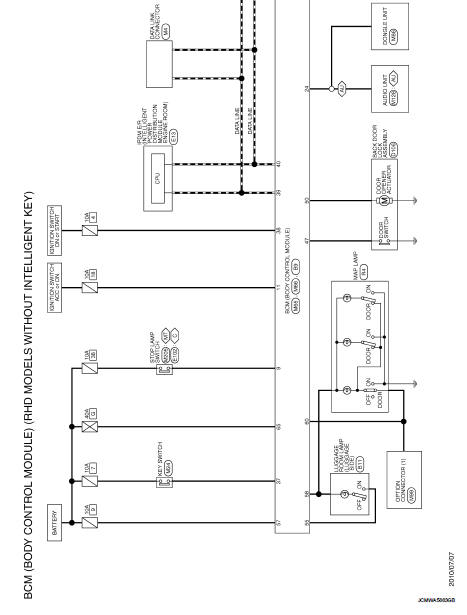
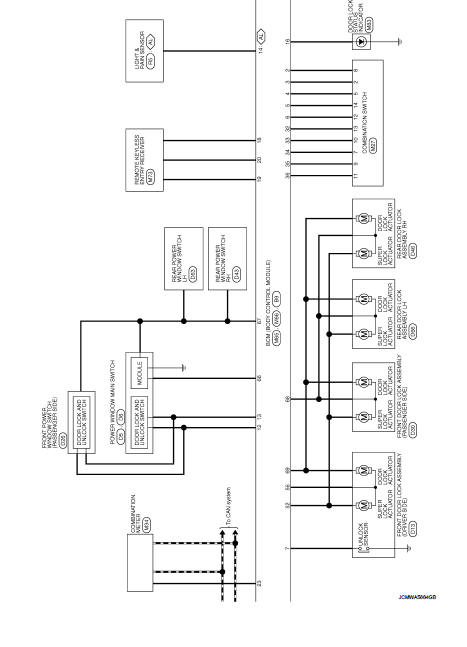
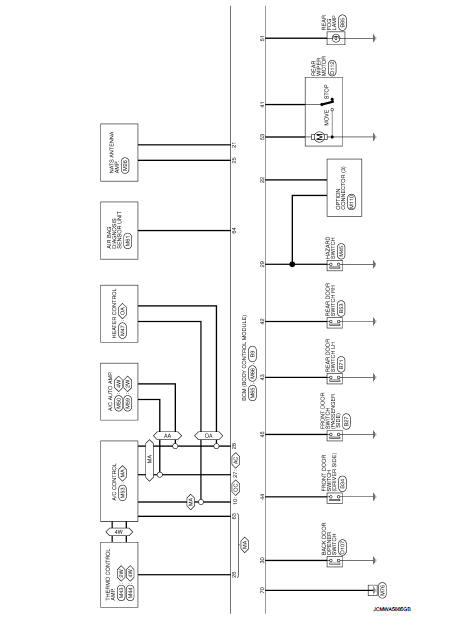
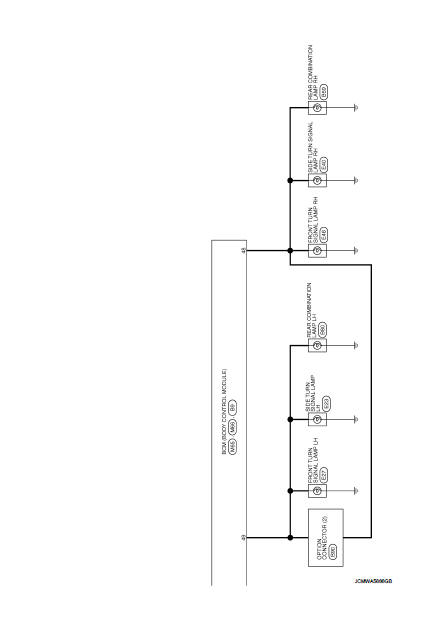
 BCM
BCM
LHD
LHD : Wiring Diagram
For connector terminal arrangements, harness layouts, and alphabets in a
(option abbreviation; if not
described in wiring diagram), refer to GI-12, "Connector Inform ...
 Basic inspection
...
Other materials:
Lights
Headlight assembly
Map light
Room light
High-mounted stop light
Rear combination light
Door mirror turn signal light (if so equipped)
Cargo light
License plate light
Fog light (if so equipped)
...
Where to go for service
If maintenance service is required or your vehicle appears to malfunction, have
the systems checked and serviced by a NISSAN dealer.
NISSAN technicians are well-trained specialists and are kept up-to-date with
the latest service information through technical bulletins, service tips, and in-deal ...
Telematics overview (models with Navigation System)
In addition to the Event Data Recorders (EDRs) detailed elsewhere in this Owner's Manual, your Nissan Leaf is equipped with advanced electronic modules. These systems continuously monitor, control, and record data concerning various vehicle operations, including the electric motor, battery health, b ...
