
Nissan Juke Service and Repair Manual : Reference Value
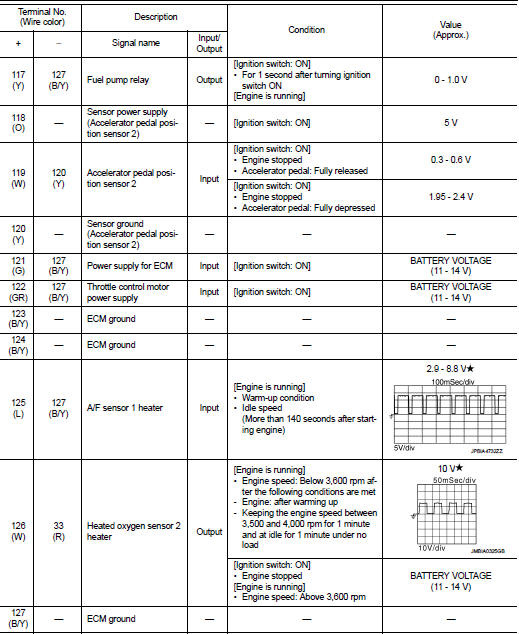
VALUES ON THE DIAGNOSIS TOOL
Remarks:
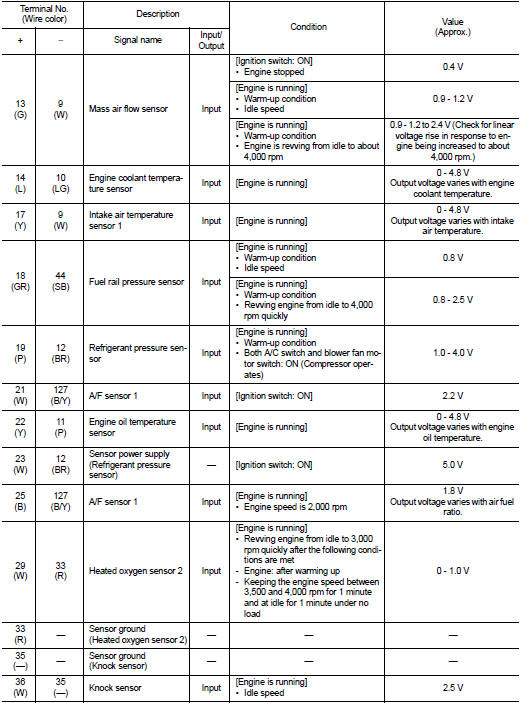
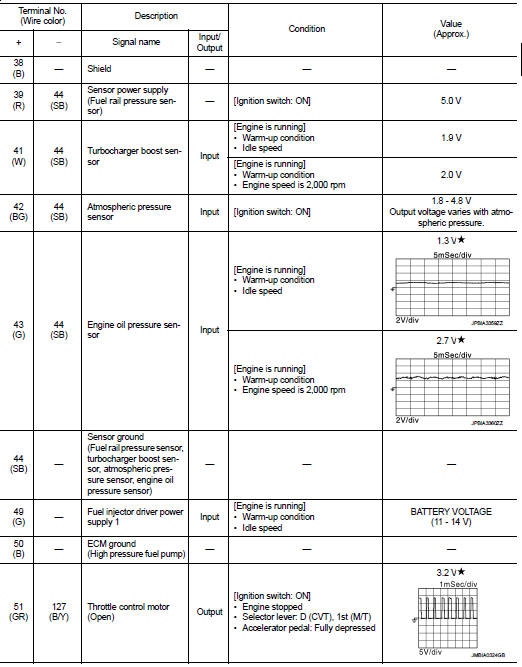
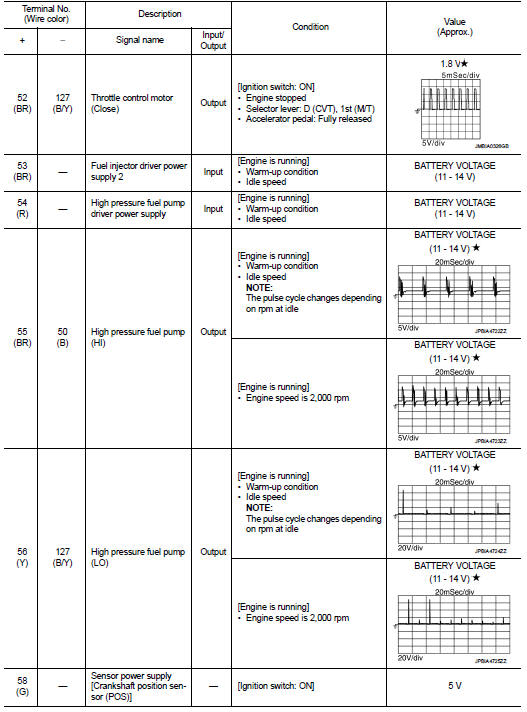
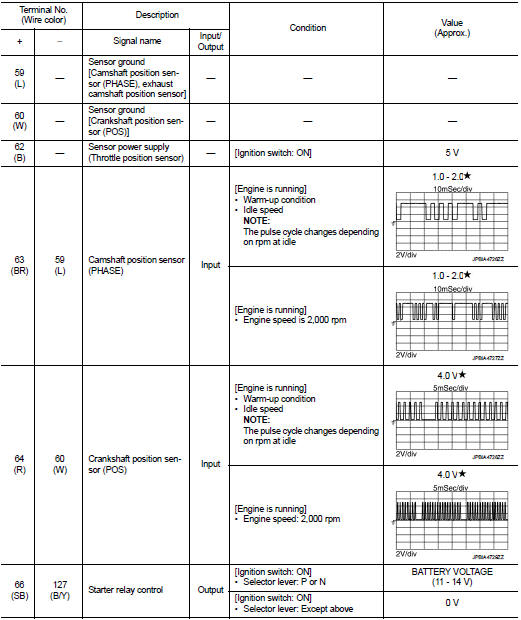
• Specification data are reference values.
• Specification data are output/input values which are detected or supplied by the ECM at the connector.
* Specification data may not be directly related to their components signals/values/operations.
I.e. Adjust ignition timing with a timing light before monitoring IGN TIMING, because the monitor may show the specification data in spite of the ignition timing not being adjusted to the specification data. this IGN TIMING monitors the data calculated by the ECM according to the signals input from the camshaft position sensor and other ignition timing related sensors.
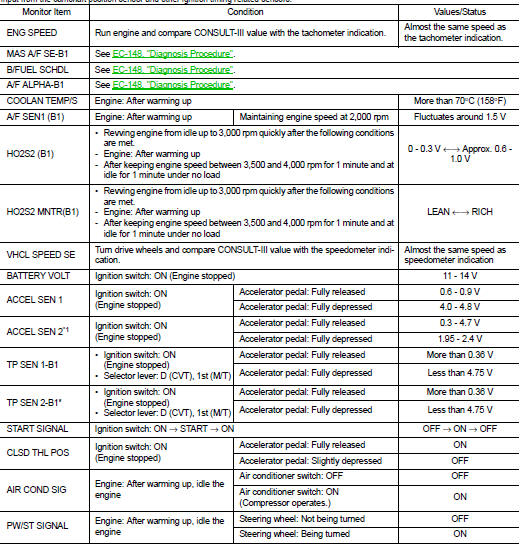
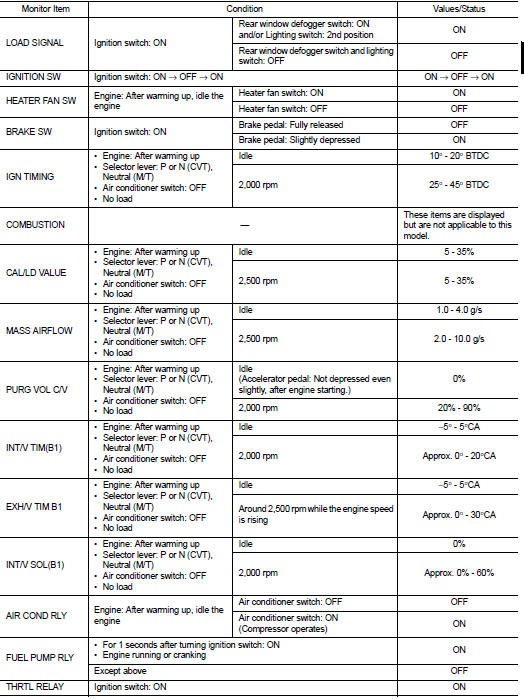
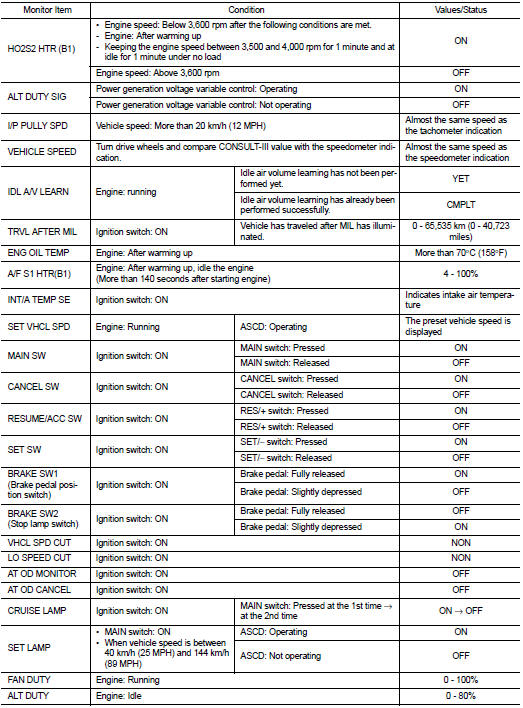
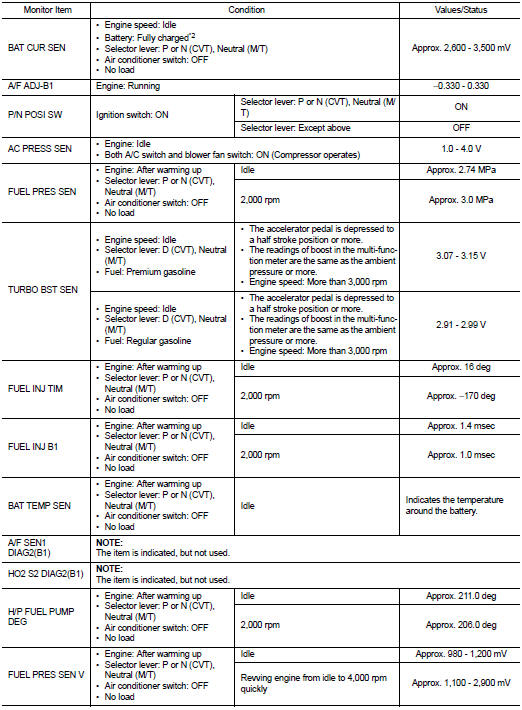
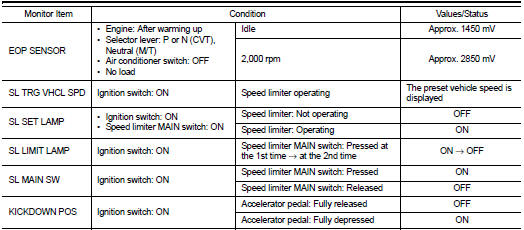
*1: Accelerator pedal position sensor 2 signal and throttle position sensor 2 signal are converted by ECM internally. Thus, they differ from ECM terminals voltage signal.
*2: Before measuring the terminal voltage, confirm that the battery is fully charged. Refer to PG-111, "How to Handle Battery".
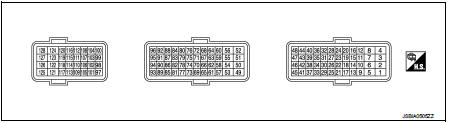
TERMINAL LAYOUT
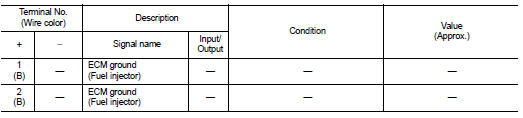
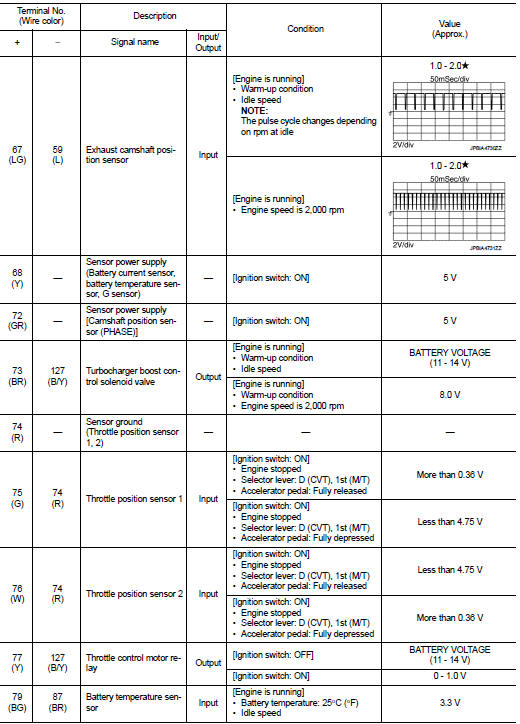
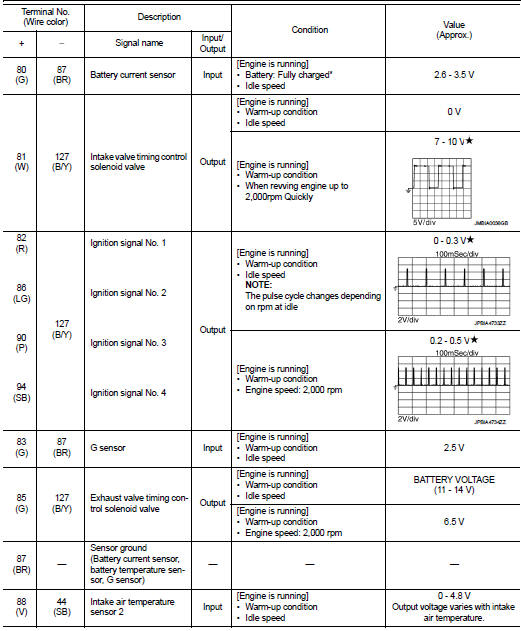
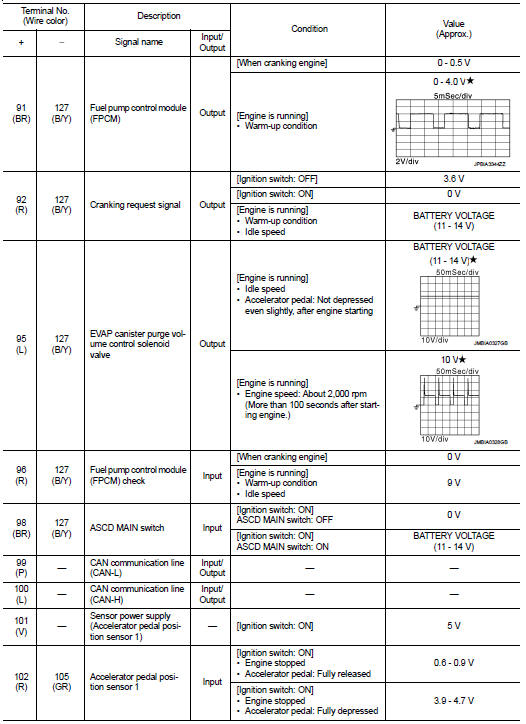
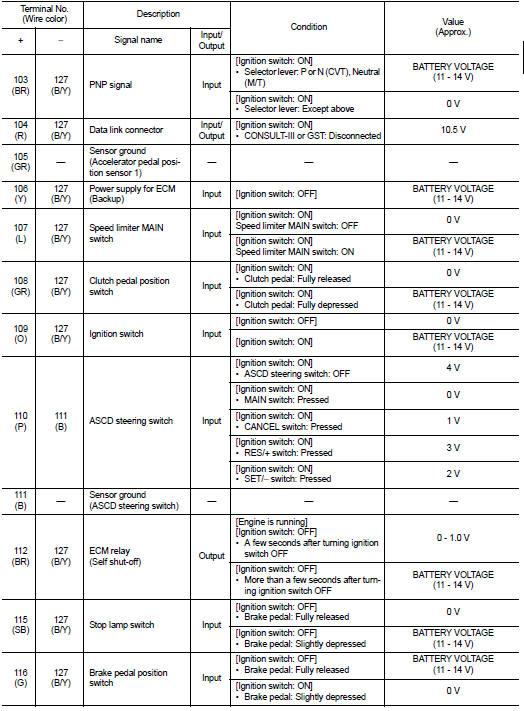
PHYSICAL VALUES
NOTE
:
• ECM is located in the engine room left side near battery.
• Connect a break-out box (EG17550000) and harness adapter (EG17550400) between the ECM and ECM harness connector.
- Use extreme care not to 2 pins at one time.
- Data is for comparison and may not be exact.
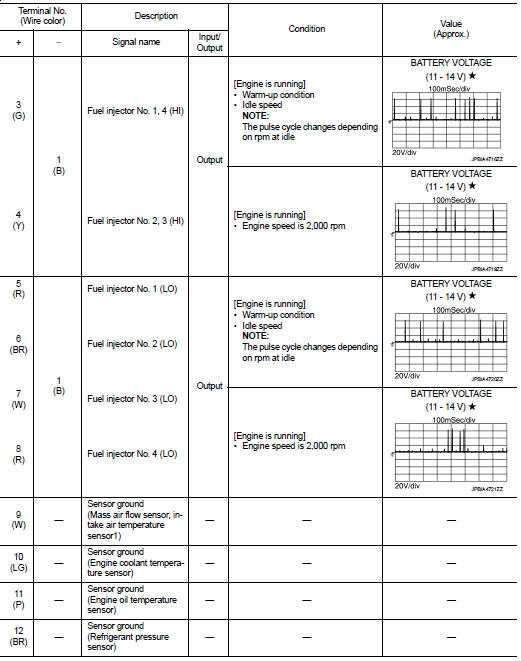
• Specification data are reference values and are measured between each terminal and ground.
• Pulse signal is measured by CONSULT-III.

 Fail Safe
NON DTC RELATED ITEM
DTC RELATED ITEM
...
Other materials:
B1178 lap Pre-tensioner RH
DTC Logic
DTC CONFIRMATION PROCEDURE
1.CHECK SELF-DIAGNOSTIC RESULT
With CONSULT-III
1. Turn ignition switch ON.
2. Perform “Self Diagnostic Result� mode of “AIR BAG� using CONSULT-III.
Without CONSULT-III
1. Turn ignition switch ON.
2. Check the air bag warning lamp status. Refe ...
Warning information displays (models with a navigation system)
Low battery warning
When the low battery charge indicator
and the master warning light (yellow)
illuminate, the Nissan Leaf navigation system automatically triggers an alert on the display screen to notify the driver that the high-voltage Li-ion battery ...
Air fresheners
Most air fresheners use a solvent that could affect the vehicle interior. If
you use an air freshener, take the following precautions:
• Hanging-type air fresheners can cause permanent discoloration when they contact
vehicle interior surfaces. Place the air freshener in a location that allows ...
