
Nissan Leaf 2018-2025 (ZE1) Owner's Manual : Immediate charge
When you haven't enabled a charging timer, your Nissan Leaf is designed to begin charging automatically the moment you connect a normal or trickle charge connector to the vehicle's charge port. This ensures the most straightforward and rapid replenishment of your battery.
However, even if you have active charging timers set, you can override them and initiate an immediate charge whenever the need arises by following these simple steps:
1. Ensure the vehicle's power switch is placed in the OFF position.
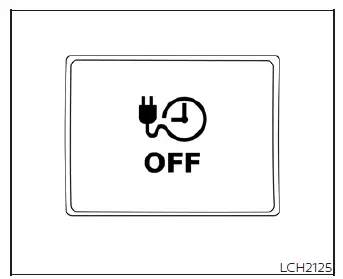
2. Press the dedicated immediate charge switch.
3. Once the charging status indicator light on the dashboard updates to reflect that the system has entered immediate charge mode, connect your charging cable to the vehicle to begin the process.
NOTE:
- After pressing the immediate charge switch, you have a 15-minute window to connect your charging cable. If you do not plug in the vehicle within this timeframe, the system will revert to your previously saved timer settings.
- Should you wish to cancel an active immediate charge mode request, simply press the immediate charge switch a second time.
- If you disconnect the charge cable during an immediate charging session, the Nissan Leaf will automatically switch back to your stored charging timer settings. To restart an immediate charge, you must press the switch again and reconnect the cable.
- If the charge cable is already connected to your vehicle but charging is paused due to a timer, pressing the immediate charge switch will manually trigger the charging process to begin right away.
 Timer Display
To provide you with immediate visibility into your vehicle's energy status, the timer display automatically activates for approximately 30 seconds as soon as you place the power switch of your Nissan ...
 Charging related remote function (models with Navigation System)
To keep you effortlessly connected to your vehicle, the Nissan Leaf is equipped with a sophisticated Telematics Communication Unit (TCU). This built-in device maintains a constant connection between y ...
Other materials:
Diagnosis system (combination meter)
On Board Diagnosis Function
ON BOARD DIAGNOSIS ITEM
The combination meter allows the following diagnosis items with the on-board
diagnosis function.
METHOD OF STARTING
1. Turn ignition switch ON, and switch the trip meter to “trip A� or “trip
B�.
2. Turn ignition switch OFF.
3. W ...
Wiring diagram
IPDM E/R
Wiring Diagram
For connector terminal arrangements, harness layouts, and alphabets in a
(option abbreviation; if not
described in wiring diagram), refer to GI-12, "Connector Information/Explanation
of Option Abbreviation".
...
CVT control system
Wiring diagram
For connector terminal arrangements, harness layouts, and alphabets in a
(option abbreviation; if not
described in wiring diagram), refer to GI-12, "Connector Information/Explanation
of Option Abbreviation".
...
