
Nissan Leaf 2018-2025 (ZE1) Owner's Manual : I-FCW System operation
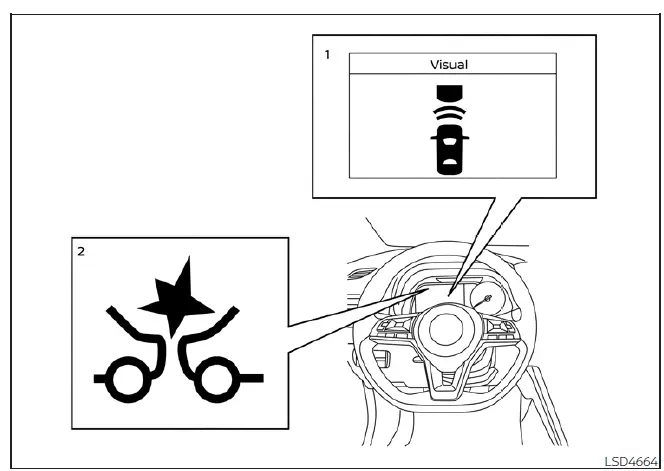
- Vehicle ahead detection indicator
- AEB with Pedestrian Detection system warning light
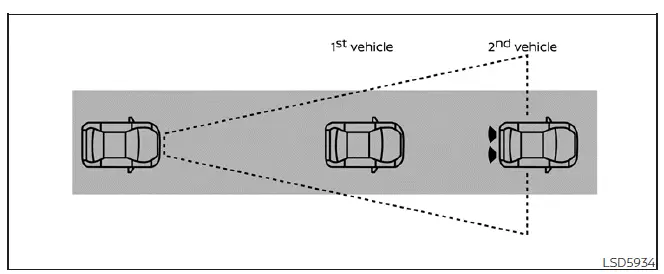
The I-FCW system is fully active when the Nissan Leaf is traveling at speeds above approximately 3 mph (5 km/h), ensuring protection during both low-speed city driving and highway cruising.
If the system identifies a potential risk of a forward collision—such as the vehicle ahead braking abruptly—the I-FCW system will immediately notify you by flashing the vehicle ahead detection indicator on your display, supplemented by a distinct audible alert to ensure your attention is drawn to the road ahead.
Turning the I-FCW system on/off
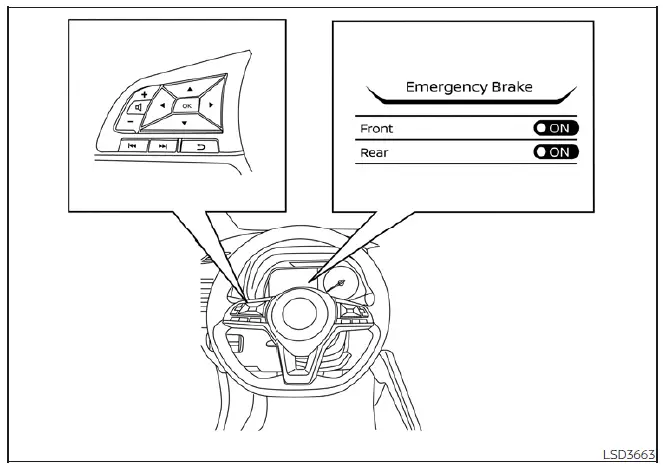
You can manage your safety preferences through the vehicle information display by following these steps:
1. Use the  button to navigate until the "Settings" menu appears. Then, use the
  buttons to highlight "Driver Assistance" and press the OK button to confirm.
2. Select "Emergency Brake" from the list and press the OK button.
3. Select "Front" and use the OK button to toggle the system status to ON or OFF.
Please note that whenever the I-FCW system is deactivated, the AEB with Pedestrian Detection system warning light will illuminate to signify that these safety features are currently disabled.
Note: For your safety, the I-FCW system defaults to the ON state every time the EV system is restarted. Furthermore, because the I-FCW system is deeply integrated into the AEB with Pedestrian Detection architecture, there is no separate menu option for the collision warning alone; disabling the AEB system simultaneously turns off the I-FCW system.
 Intelligent Forward Collision Warning (I-FCW)
WARNING
The Intelligent Forward Collision Warning (I-FCW) system is a supportive safety feature; failing to adhere to the provided operational instructions or relying solely on this technology co ...
 I-FCW system limitations
WARNING
The following list details the specific operating limitations of the I-FCW system. Failure to operate your Nissan Leaf while mindful of these t ...
Other materials:
B1215, B1216, B1217 satellite sensor LH
DTC Logic
DTC DETECTION LOGIC
DTC CONFIRMATION PROCEDURE
1.CHECK SELF-DIAG RESULT
With CONSULT-III
1. Turn ignition switch ON.
2. Perform “Self Diagnostic Result� mode of “AIR BAG� using CONSULT-III.
Without CONSULT-III
1. Turn ignition switch ON.
2. Check the air bag warning la ...
P0090 fuel pump
DTC Logic
DTC DETECTION LOGIC
Diagnosis Procedure
1.CHECK HIGH PRESSURE SUPPLY PUMP (PRESSURE CONTROL VALVE) POWER SUPPLY
1. Turn ignition switch OFF.
2. Disconnect high pressure supply pump (pressure control valve) harness
connector.
3. Turn ignition switch ON.
4. Check the voltage betwe ...
High voltage precautions
High-voltage components
WARNING
The advanced electric vehicle (EV) system in your Nissan Leaf operates using high-voltage electricity, reaching levels up to approximately 400 volts DC. Please be aware that these internal components can remain extremely hot during operation, immed ...
