
Nissan Leaf 2018-2025 (ZE1) Owner's Manual : NISSAN Vehicle Immobilizer System
The NISSAN Vehicle Immobilizer System is a sophisticated anti-theft security feature designed specifically for your Nissan Leaf. It ensures that the EV power switch cannot be shifted into the READY to drive position unless the vehicle detects an authentic, registered Intelligent Key.
If your Nissan Leaf fails to transition into the READY to drive mode despite having your registered key present, the issue may stem from signal interference. This commonly occurs when the system detects conflicting signals from other registered keys, automated toll-road transponders, or electronic payment devices attached to your key ring. To resolve potential interference, try restarting the EV system using the following troubleshooting procedure:
1. Switch the power to the ON position and allow it to remain there for approximately 5 seconds.
2. Shift the power switch back to the OFF position and wait for approximately 10 seconds to allow the system to reset.
3. Repeat steps 1 and 2 once more to ensure a complete cycle.
4. Attempt to place the power switch into the READY to drive position while holding any additional electronic devices or other keys physically separate from your primary registered key.
If this sequence successfully enables the READY to drive mode, it confirms that interference was the root cause. We recommend keeping your Nissan Leaf registered key on a separate ring, away from other electronic transponders or metallic items, to ensure reliable operation in the future.
FCC Notice:
For USA:
This device complies with Part 15 of the FCC Rules. Operation is subject to the following two conditions: (1) This device may not cause harmful interference, and (2) this device must accept any interference received, including interference that may cause undesired operation.
NOTE:
Any changes or modifications to this equipment not expressly approved by the party responsible for compliance could void the user's authority to operate the device.
For Canada:
This device contains licence-exempt transmitter(s)/receiver(s) that comply with Innovation, Science and Economic Development Canada's licence-exempt RSS(s). Operation is subject to the following two conditions: (1) This device may not cause interference. (2) This device must accept any interference, including interference that may cause undesired operation of the device.
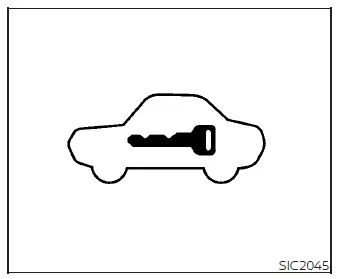
Security Indicator Light
The security indicator light is strategically located on your meter panel. It serves as a visual confirmation of the current status of the NISSAN Vehicle Immobilizer System.
You will notice this light blinking whenever the power switch is in the ACC or OFF position. This rhythmic flashing confirms that the vehicle's integrated security systems are active and currently monitoring for unauthorized access.
In the event of a system malfunction, the security indicator light will remain continuously illuminated while the power switch is in the ON position.
If the security light remains illuminated or if you are consistently unable to place your Nissan Leaf into the READY to drive position, the system requires professional diagnostics. We strongly recommend visiting a NISSAN certified LEAF dealer for this service as soon as possible. When bringing your vehicle in for maintenance, please ensure you have all of your registered keys with you to assist the technicians in their service procedures.
 Vehicle security system
The vehicle security system acts as a primary deterrent by triggering powerful visual and audible alarm signals if unauthorized access is attempted through any of the doors or the rear hatch while the ...
 Wiper and washer switch
WARNING
When driving your Nissan Leaf in freezing conditions, please be aware that washer solution can freeze rapidly upon contact with a cold windshield, severely obscuring your view and creatin ...
Other materials:
Rear window defogger relay
Description
The rear window defogger is operated by turning the rear window defogger
switch ON.
Component Function Check
1.CHECK FUNCTION
1. Perform IPDM E/R Active Test (“REAR DEFOGGER�) using CONSULT-III.
2. Touch “ON�.
3. Check that the rear window heating wire is getting warmer.
...
Precaution for Supplemental Restraint System (SRS) "AIR BAG" and "SEAT BELT
PRE-TENSIONER"
The Supplemental Restraint System such as “AIR BAG� and “SEAT BELT PRE-TENSIONER�,
used along
with a front seat belt, helps to reduce the risk or severity of injury to the
driver and front passenger for certain
types of collision. Information necessary to service the system safely is
...
Structure and operation
Positive Crankcase Ventilation
This system returns blow-by gas to the intake manifold.
The positive crankcase ventilation (PCV) valve is provided to conduct crankcase
blow-by gas to the intake
manifold.
During partial throttle operation of the engine, the intake manifold sucks the
blow ...
