
Nissan Leaf 2018-2025 (ZE1) Owner's Manual : Heated steering wheel switch
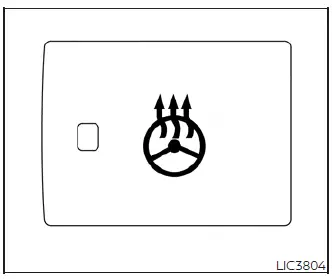
The Nissan Leaf heated steering wheel system is designed with intelligent efficiency, operating only when the surface temperature of the steering wheel is below approximately 68ºF (20ºC).
To activate the system, push the heated steering wheel switch while the power switch is in either the ACC or ON position.
If the sensor detects the wheel surface temperature is below the 68ºF (20ºC) threshold, the system will engage the heating elements and cycle them automatically to maintain a comfortable warmth. The indicator light will remain illuminated as long as the system is actively working to maintain this temperature.
If you wish to deactivate the system manually, simply push the switch again, and the indicator light will turn off.
Note:
- If the steering wheel surface is already above 68ºF (20ºC) when you press the switch, the system will not engage. This is a normal design feature and does not indicate a system malfunction.
- In low outside temperatures (approximately 50ºF (10ºC) or less), the heated steering wheel can be automatically operated in conjunction with the Climate Control Timer or Remote Climate Control features.
- When using the Climate Control Timer: The system begins warming approximately 15 minutes before your scheduled departure time and continues until that time is reached.
- When using Remote Climate Control: The heating function operates for 15 minutes starting from the moment Remote Climate Control is activated.
- Similar to the heated seats, the heated steering wheel is a highly efficient feature. It consumes less power than the cabin heater, making it an excellent tool for maximizing passenger comfort or helping to preserve vehicle range during colder trips in your Nissan Leaf.
 Heated seat switches
Front
To ensure maximum comfort during colder weather, the front seats and the available rear outboard seats in your Nissan Leaf are equipped with sophisticated built-in ...
 Emergency call (SOS) button
The in-vehicle Emergency Call (SOS) system button integrates seamlessly with an active NissanConnect Services powered by SiriusXM subscription, providing drivers with an immediat ...
Other materials:
Precaution for Supplemental Restraint System (SRS) "AIR BAG" and "SEAT BELT
PRE-TENSIONER"
The Supplemental Restraint System such as “AIR BAG� and “SEAT BELT PRE-TENSIONER�,
used along
with a front seat belt, helps to reduce the risk or severity of injury to the
driver and front passenger for certain
types of collision. Information necessary to service the system safely is
...
Rear wiper auto stop signal circuit
Component Function Check
1.CHECK REAR WIPER (AUTO STOP) OPERATION
CONSULT-III DATA MONITOR
1. Select “WIPER� of BCM data monitor item.
2. Operate the rear wiper.
3. Check that “RR WIPER STOP� changes to “On� and “Off� linked with the wiper
operation.
Is the status of item n ...
Power door lock system
System Diagram
System Description
DOOR LOCK FUNCTION
• The door lock and unlock switch (driver side) is build into power window
main switch.
• Interlocked with the locking operation of door lock and unlock switch, door
lock actuators of all doors are
locked.
• Interlocked with the ...
