
Nissan Leaf 2018-2025 (ZE1) Owner's Manual : Dynamic driver assistance switch (for vehicles without ProPILOT Assist)
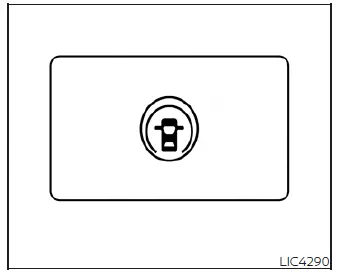
The physical dynamic driver assistance switch allows the operator to temporarily activate or deactivate the advanced Intelligent Lane Intervention (I-LI) and Intelligent Blind Spot Intervention (I-BSI) safety systems, assuming these safety features have already been enabled within the master settings menu of the vehicle information display.
Please note that the intelligent I-LI and I-BSI systems must be manually turned on via this dynamic driver assistance switch each time the primary vehicle power switch is cycled to the ON position.
The active I-LI system monitors road markings to detect unintentional lane drift, alerting the driver with a visual warning and an audible chime while briefly applying selective braking to individual left or right wheels to help safely guide your Nissan Leaf back toward the center of its traveling lane.
Designed to monitor your blind zones, the automated I-BSI system actively alerts the driver to other vehicles detected in adjacent lanes during a lane-change maneuver, and applies subtle corrective measures to assist in keeping the vehicle safely centered in its lane.
Steering Assist switch (for models with ProPILOT Assist)
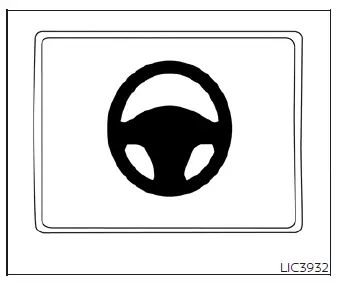
For models equipped with advanced driver aids, the Steering Assist switch provides quick control to enable or disable the automated steering system, which operates in tandem with the primary configurations managed in your Nissan Leaf's vehicle information display settings menu.
When the comprehensive ProPILOT Assist system is actively engaged, the Steering Assist system automatically applies minor steering inputs to reduce driver fatigue by keeping your Nissan Leaf smoothly positioned near the center of the driving lane.
 Emergency call (SOS) button
The in-vehicle Emergency Call (SOS) system button integrates seamlessly with an active NissanConnect Services powered by SiriusXM subscription, providing drivers with an immediat ...
 Rear Door Alert
The integrated Rear Door Alert system acts as a helpful reminder under specific operating conditions, indicating that a child, pet, or valuable object may have been left in the rear seats. Always phys ...
Other materials:
Front regulator
Exploded View
1. Front door panel
2. Lower sash (front)
3. Sealing screen
4. Pull handle bracket
5. Front door glass run
6. Front door glass
7. Power window motor
8. Front door regulator assembly
9. Lower sash (rear)
: Vehicle fro
Removal and Installation
REMOVAL
1. Remove the f ...
Vehicle speed sensing auto lock operation does not operate
Diagnosis Procedure
1.CHECK “AUTOMATIC LOCK/UNLOCK SELECT� SETTING IN “WORK SUPPORT�
1. Select “DOOR LOCK� of “BCM� using CONSULT-III.
2. Select “AUTOMATIC LOCK/UNLOCK SELECT� in “WORK SUPPORT� mode.
3. Check “AUTOMATIC LOCK/UNLOCK SELECT� in “WORK SUPPORT�.
Re ...
B1121 satellite sensor LH
DTC Logic
DTC DETECTION LOGIC
DTC CONFIRMATION PROCEDURE
1.CHECK SELF-DIAG RESULT
With CONSULT-III
1. Turn ignition switch ON.
2. Perform “Self Diagnostic Result� mode of “AIR BAG� using CONSULT-III.
Without CONSULT-III
1. Turn ignition switch ON.
2. Check the air bag warning la ...
