
Nissan Juke Service and Repair Manual : Wiring diagram
POWER SOCKET
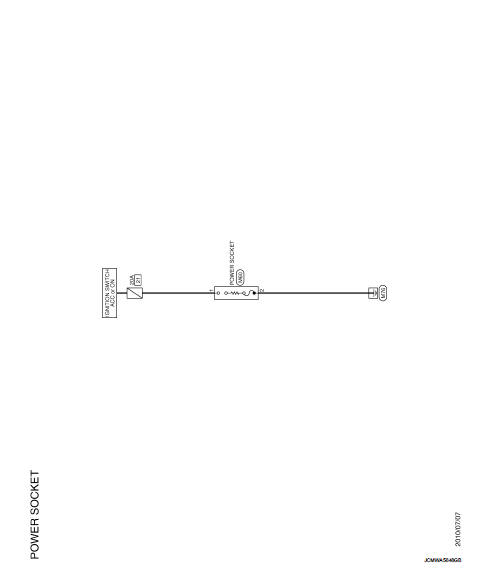
Wiring Diagram
For connector terminal arrangements, harness layouts, and alphabets in a
 (option abbreviation; if not
described in wiring diagram), refer to GI-12, "Connector Information/Explanation
of Option Abbreviation".
 Precaution
Precaution for Supplemental Restraint System (SRS) "AIR BAG" and "SEAT
BELT
PRE-TENSIONER"
The Supplemental Restraint System such as “AIR BAG� and “SEAT BELT
PRE-TENSIO ...
 Removal and installation
POWER SOCKET
Exploded View
1 : Inner socket
2 : Ring
Removal and Installation
REMOVAL
1. Remove cluster tray. Refer to IP-13, "Removal and Installation".
2. Pull out inner socket (1 ...
Other materials:
P0132 A/F sensor 1
DTC Logic
DTC DETECTION LOGIC
To judge the malfunction, the diagnosis checks that the A/F signal computed
by ECM from the A/F sensor 1
signal is not inordinately high.
DTC CONFIRMATION PROCEDURE
1.PRECONDITIONING
If DTC Confirmation Procedure has been previously conducted, always turn
ig ...
Service Notice or Precautions for Transfer
• After overhaul refill the transfer with new transfer oil.
• Check the oil level or replace the oil only with the vehicle parked on level
surface.
• During removal or installation, keep inside of transfer clear of dust or
dirt.
• Replace all tires at the same time. Always use tires o ...
Operation
Switch Name and Function
OPERATION AND DISPLAY
A/C Display (Display in Multi Display Unit)
• Air conditioning system operation status is indicated on display in multi
display unit. Indication of air conditioning
system varies according to display mode of multi display unit. For changing
...
