
Nissan Leaf 2018-2025 (ZE1) Owner's Manual : Seat belt warning light and chime
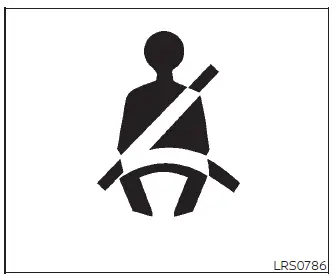
To ensure maximum safety for all occupants, your Nissan Leaf is equipped with an advanced seat belt reminder system for both the driver and front passenger positions. This system is designed to provide immediate visual and audible feedback if a seat belt remains unfastened while the vehicle is in motion. Once you reach speeds of approximately 9 mph (15 km/h) or higher, the alert system will trigger under the following conditions:
- If the driver's seat belt is not properly fastened.
- If the front passenger seat is occupied and the seat belt remains unfastened for at least 7 seconds after the Nissan Leaf power switch has been set to the ON position.
- If the front passenger's seat belt is unbuckled while the system detects an occupant or external force that classifies the seat as "Occupied."
The seat belt warning light on your instrument cluster will flash persistently whenever these conditions are met, serving as a reminder to ensure all passengers are safely buckled in before continuing your journey.
In addition to the visual light, an audible warning chime will sound for up to 90 seconds, or until one of the following safety criteria is met:
- The occupant in the unbuckled seat securely fastens their seat belt.
- The seat belt reminder system no longer detects an occupant in the front passenger seat.
- The vehicle's power switch is turned off or the transmission is shifted into P (Park).
Please be aware that the seat belt reminder system in your Nissan Leaf is highly sensitive and may occasionally trigger the warning light and chime even if a passenger is not present, under the following scenarios:
- Heavy items are placed on the surface of the passenger seat.
- External pressure is applied to the front passenger seat by someone pushing or pulling on the upholstery.
- An object is positioned underneath the front passenger seat.
- Items are wedged between the seat cushion and the center console or the passenger-side door.
- Heavy objects are hanging from the seat, or significant weight is placed inside the seatback storage pocket.
- A child restraint system or other bulky item is pressing firmly against the rear surface of the seatback.
NOTE:
Depending on your specific model configuration, the rear seating positions in your Nissan Leaf may also feature seat belt monitoring, with status updates conveniently displayed on the vehicle information screen.
Pregnant women
Nissan strongly advises pregnant women to use seat belts at all times to ensure the safety of both mother and child. It is crucial that the belt maintains a snug fit; always route the lap portion of the belt as low as possible around your hips, ensuring it rests beneath your abdomen—never directly over it. The shoulder belt should be routed across your chest and over your shoulder, well away from your neck. We recommend consulting with your physician to receive personalized guidance and recommendations regarding seat belt use during pregnancy.
Injured persons
Nissan also recommends that injured persons continue to use seat belts whenever possible, as they provide vital protection. However, the use of a seat belt should always be tailored to the nature of the injury. We advise checking with your medical provider or doctor for specific recommendations to ensure that safety measures remain appropriate for your recovery process.
 Precautions on seat belt usage
Properly adjusting and wearing your seat belt is the single most effective way to protect yourself and your passengers. By sitting upright, positioning yourself well back in the seat, and keeping both ...
 Three-point type seat belt with retractor
WARNING
Every person who drives or rides in this vehicle should use a seat belt at all times to ensure maximum protection.
Never ride in a moving vehicle while the seatback is ...
Other materials:
P range interlock door lock/unlock function does not operate
Diagnosis Procedure
1.CHECK “AUTOMATIC LOCK/UNLOCK SELECT� SETTING IN “WORK SUPPORT�
1. Select “DOOR LOCK� of “BCM� using CONSULT-III.
2. Select “AUTOMATIC LOCK/UNLOCK SELECT� in “WORK SUPPORT� mode.
3. Check “AUTOMATIC LOCK/UNLOCK SELECT� setting in “WORK SUPPORT†...
ESP off switch
Component Function Check
1.CHECK ESP OFF SWITCH OPERATION
Check that ESP OFF indicator lamp in combination meter turns ON/OFF when ESP
OFF switch is operated.
Is the inspection result normal?
YES >> INSPECTION END
NO >> Proceed to diagnosis procedure. Refer to BRC-210, &qu ...
System
Can communication system
CAN COMMUNICATION SYSTEM : System Diagram
CAN COMMUNICATION SYSTEM : System Description
Description
• CAN (Controller Area Network) is a serial communication line for real time
application. It is an on-vehicle
multiplex communication line with high data communicat ...
