
Nissan Leaf 2018-2025 (ZE1) Owner's Manual : NissanConnect Manual
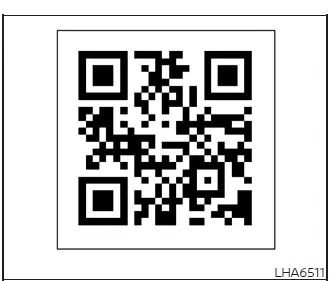
Please refer to the digital NissanConnect manual by scanning the integrated QR code printed on this page with your smartphone, or consult your physical, printed NissanConnect manual textbook (if so equipped with your vehicle trim). This specialized supplementary documentation includes detailed operational information for the following features:
- EV-Specific functions (including energy economy data, charging station location maps, and battery state-of-charge trackers)
- Audio entertainment configuration and speaker balancing
- Hands-Free Phone connectivity via Bluetooth wireless pairing
- NissanConnect EV & Services remote smartphone application sync (if so equipped)
- Apple CarPlay smartphone mirroring interface setup
- Android Auto mobile smartphone projection system layout
- Onboard Navigation map guidance and point-of-interest searching (if so equipped)
- Voice recognition acoustic control commands and microphone settings
- Information parameters and system preference settings viewable on the main touch screen

 RearView Monitor
CAMERA button (used to manually trigger the display views or adjust active screen brightness layouts)
MENU button (opens up global display preferences and syst ...
Other materials:
Windshield glass
Exploded View
1. Windshield glass molding
2. Dam rubber (upper)
3. Upper clip
4. Windshield glass
5. Dam rubber (lower)
6. Lower clip
7. Mirror base
8. Rain sensor bracket
9. Adhesive
10. Roof panel
11. Headlining assembly
12. Primer
13. Cowl top cover
14. Cowl top panel
1 ...
P1831 VDC operation signal
DTC Logic
DTC DETECTION LOGIC
DTC CONFIRMATION PROCEDURE
1.DTC REPRODUCTION PROCEDURE
With CONSULT-III
1. Start the engine and drive at 30 km/h (19 MPH) or more.
2. Perform self-diagnosis for “ALL MODE AWD/4WD�.
Is DTC “P1831� detected?
YES >> Proceed to diagnosis procedure ...
Control linkage
Exploded View
1. Bracket
2. Shifter cable
3. Selector lever
4. Shifter lever A
5. Tapping bolt
6. Cable mounting bracket
7. Selector cable
8. Grommet
9. M/T shift selector assembly
10. Shifter lever
11. Shifter lever knob
: Always replace after every
disassembly.
: N·m (kg-m ...
