
Nissan Juke Owners Manual : Supplemental air bag warning light
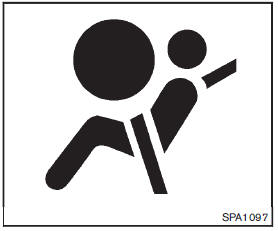
The supplemental air bag warning light, displaying
 in the instrument panel, monitors the
circuits for the air bag systems, pretensioners and all related wiring.
When the ignition switch is in the ON position, the supplemental air bag warning light illuminates for about 7 seconds and then turns off.
This means the system is operational.
If any of the following conditions occur, the air bag and/or pretensioner systems need servicing:
• The supplemental air bag warning light remains on after approximately 7 seconds.
• The supplemental air bag warning light flashes intermittently.
• The supplemental air bag warning light does not come on at all.
Under these conditions, the air bag and/or pretensioner systems may not operate properly.
They must be checked and repaired. Take your vehicle to the nearest NISSAN dealer.
WARNING
If the supplemental air bag warning light is on, it could mean that the front air bag, side air bag, curtain air bag and/or pretensioner systems will not operate in an accident. To help avoid injury to yourself or others, have your vehicle checked by a NISSAN dealer as soon as possible.
 Supplemental air bag warning labels
Warning labels about the supplemental frontimpact air bag system are placed in
the vehicle as shown in the illustration.
1 SRS air bag
The warning labels are located on the surface of the sun vi ...
 Repair and replacement procedure
The front air bags, side air bags, curtain air bags and pretensioners are designed
to activate on a one-time-only basis. As a reminder, unless it is damaged, the supplemental
air bag warning light ...
Other materials:
Inside key antenna
Instrument center
INSTRUMENT CENTER : Removal and Installation
REMOVAL
1. Remove the multi display unit. Refer to AV-125, "Removal and
Installation".
2. Remove the inside key antenna (instrument center) (1) mounting
clip (A), and then remove inside key antenna (instrument
center).
...
How to use brightness control and display ON/OFF button
To change the display brightness, push the
button. Pushing the button again will
change the display to the day or the night display.
If no operation is performed within 5 seconds, the display will return to the
previous display.
Push and hold the button for more
than two seconds to turn t ...
P0117, P0118 ECT SENSOR
DTC Logic
DTC DETECTION LOGIC
DTC CONFIRMATION PROCEDURE
1.PRECONDITIONING
If DTC Confirmation Procedure has been previously conducted, always turn
ignition switch OFF and wait at
least 10 seconds before conducting the next test.
>> GO TO 2.
2.PERFORM DTC CONFIRMATION PROCEDURE
...
