
Nissan Leaf 2018-2025 (ZE1) Owner's Manual : Opening charge port lid
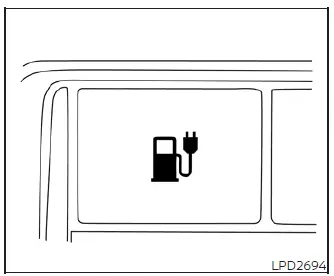
Instrument panel switch
When opening the charge port lid to plug in a charging connector, perform one of the following official interface actions:
- Push the physical charge port lid switch located on the lower instrument panel to the left of the steering column, or
- Press and hold the dedicated
 button on the Intelligent Key transmitter continuously for more than one second.
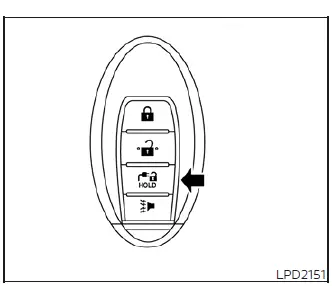
Intelligent Key button
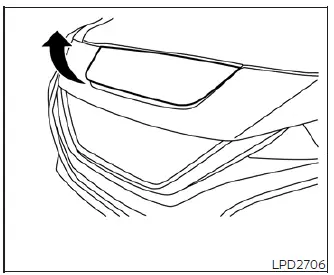
When opening the charge port lid:
1. The external blue charging status indicator lights on the upper dash top will flash, an acoustic chime will sound three times in sequence, and the spring-loaded charge port lid will then automatically unlatch and spring up slightly.
2. Slide your fingers into the underside of the partially raised lid and lift the panel upward until it locks back completely into its fully open position.
When closing the charge port lid:
1. Slowly move the outer lid panel down toward the vehicle grill assembly.
2. Press down firmly on the leading edge until the mechanical latch clicks, locking it securely into place.
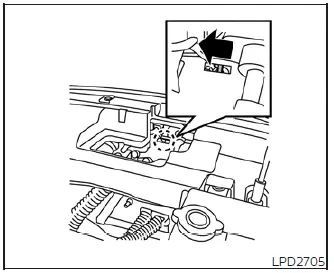
If the charge port lid cannot be unlocked due to electrical failure or freezing conditions:
1. Open the hood safely and secure it with the integrated support rod.
2. Locate the auxiliary override lever positioned directly behind the internal charge port lid housing, move the lever in the direction of the arrow using a flat head screwdriver or suitable tool, and the port is unlocked manually.
CAUTION
Always make sure that the charge port lid is completely closed, flush, and latched before driving the vehicle. Failure to do so could cause aerodynamic headwind forces to force the lid to open suddenly during driving, risking structural damage to the hinge assembly.
 Charge port lid
...
 Charge port cap
When opening the internal charge port cap to connect a power supply, press the integrated release tab inward firmly and the spring-loaded protective cap will pop open automatical ...
Other materials:
Precaution Necessary for Steering Wheel Rotation after Battery Disconnect
NOTE:
• Before removing and installing any control units, first turn the ignition
switch to the LOCK position, then disconnect
both battery cables.
• After finishing work, confirm that all control unit connectors are connected
properly, then re-connect both
battery cables.
• Always us ...
Removal and Installation Procedure for CVT Unit Connector
REMOVAL
• Rotate bayonet ring (A) counterclockwise. Pull out CVT unit harness
connector (B) upward and remove it.
INSTALLATION
1. Align marking (A) on CVT unit harness connector terminal with
marking (B) on bayonet ring. Insert CVT unit harness connector.
2. Rotate bayonet ring clockwise.
...
Precaution for Supplemental Restraint System (SRS) "AIR BAG" and "SEAT BELT
PRE-TENSIONER"
The Supplemental Restraint System such as “AIR BAG� and “SEAT BELT
PRE-TENSIONER�, used along
with a front seat belt, helps to reduce the risk or severity of injury to the
driver and front passenger for certain
types of collision. Information necessary to service the system safely is
...
